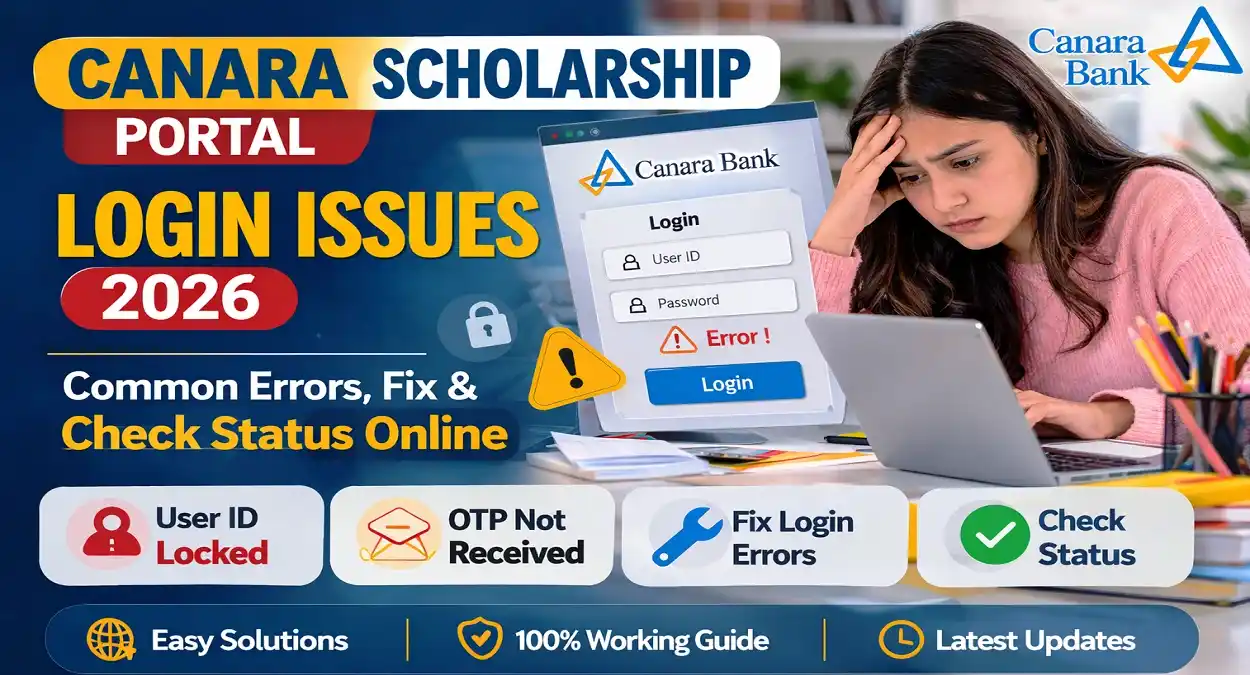
Canara Scholarship Portal Login Issues: Students across India who receive scholarships under the University Grants Commission (UGC) schemes often use the online portal managed by Canara Bank to manage their scholarship details. This system, commonly known as the UGC Canara Scholarship Portal, allows students to verify their information, track payments, and update documents.
However, many students frequently report login issues, account errors, OTP problems, or portal access failures while using the portal. These problems can cause delays in scholarship verification and payment release, creating confusion among applicants.
If you are facing difficulties accessing the Canara Scholarship Portal, this detailed guide explains common login problems, reasons behind them, and practical solutions so that you can access your scholarship account smoothly.
What is the UGC Canara Scholarship Portal?
The Canara Scholarship Portal is an online system used to manage scholarship payments and fellowships offered by the University Grants Commission (UGC). Through this portal, selected students can log in and track the status of their scholarships.
The platform mainly handles scholarships for postgraduate and research students under various UGC schemes. The portal ensures that scholarship payments are transferred directly to students through the Direct Benefit Transfer (DBT) system.
Main Functions of the Portal
Students can use the portal to:
- Login to their scholarship account
- Verify personal and academic details
- Upload documents for verification
- Check scholarship approval status
- Track scholarship payment release
Because thousands of students use the portal every day, technical issues may sometimes occur.
Key Highlights of the Canara Scholarship Portal
| Feature | Details |
|---|---|
| Portal Name | Canara Scholarship Portal |
| Managed By | Canara Bank |
| Used For | UGC Scholarships & Fellowships |
| Mode | Online Portal |
| Payment Method | Direct Benefit Transfer (DBT) |
| Beneficiaries | PG and Research Students |
The portal plays an important role in ensuring transparent scholarship disbursement for eligible students.
Most Common Canara Scholarship Portal Login Issues
Students frequently report several types of login problems while accessing the portal. Understanding these issues can help identify the correct solution quickly.
1. User ID Locked Error
One of the most common login errors is “User ID Locked”. This issue usually occurs when a user enters the wrong password multiple times.
When the system detects repeated incorrect login attempts, it automatically locks the account for security reasons.
Possible Causes
- Incorrect password entered several times
- Attempting login from multiple devices
- System security protection
Solution
Students can fix this issue by:
- Using the Forgot Password option
- Resetting the password through the registered email
- Waiting a few hours before trying again
Once the password is reset successfully, the account can be accessed normally.
2. OTP or Password Reset Email Not Received
Many students complain that they do not receive the OTP or password reset email while trying to recover their account.
This can make it difficult to reset the password and access the portal.
Possible Reasons
- Delay in the portal email server
- Incorrect email address during registration
- Email delivered to spam or junk folder
Solution
Students should:
- Check their Spam or Junk Mail folder
- Wait for a few minutes and try again
- Ensure the correct email ID is registered in the system
If the issue continues, contacting the scholarship support team may be necessary.
3. Portal Showing “Unknown Error”
Another common issue faced by users is the “Unknown Error” message while logging in.
Sometimes the portal may display messages such as:
- Unknown Error Occurred
- Insufficient Privilege
- Invalid Request
These errors usually appear due to temporary system glitches.
Solution
Students can try the following steps:
- Refresh the page
- Clear browser cache and cookies
- Try opening the portal in Incognito Mode
- Use a different browser like Chrome or Edge
Most of the time, the issue resolves after trying these steps.
4. Error 404 or Page Not Found
Some users report that the portal shows Error 404 or the login page fails to load properly.
This usually happens during portal maintenance or when the server is overloaded with many users.
Possible Reasons
- Server downtime
- Portal maintenance updates
- Internet connection problems
Solution
Students should:
- Wait for some time and try again
- Check their internet connection
- Use another device or browser
If the portal is under maintenance, it usually becomes accessible again within a few hours.
5. Login Successful but Dashboard Not Opening
In some situations, students can log in successfully but cannot access their scholarship dashboard or application details.
This issue often occurs due to incomplete verification or system synchronization delays.
Possible Reasons
- Pending university approval
- Documents not verified yet
- Data synchronization delay between UGC and the portal
Solution
Students should ensure:
- All required documents are uploaded
- Profile details are complete
- University verification has been completed
Once the verification process is finished, the dashboard usually becomes accessible.
Scholarships Managed Through the Portal
Several scholarship schemes under the University Grants Commission are processed through the Canara portal.
Some of the major schemes include:
- Ishan Uday Scholarship for North East students
- National Scholarship for Postgraduate Studies
- Junior Research Fellowship (JRF)
- Single Girl Child Scholarship
- OBC Fellowship Programs
These scholarships support higher education and research for talented students across India.
Documents Required for Portal Verification
Students must upload specific documents to complete the verification process.
Common documents include:
- Aadhaar Card
- Scholarship award letter
- Academic mark sheets
- Bank passbook or account details
- Category certificate (if applicable)
- Disability certificate (if required)
Uploading correct documents ensures faster verification and payment release.
Tips to Avoid Canara Scholarship Portal Login Problems
Students can reduce login issues by following a few simple precautions.
Use the Correct Portal Link
Always access the portal from the official website to avoid errors or fake pages.
Keep Login Details Safe
Save your user ID and password securely to avoid repeated password reset attempts.
Avoid Multiple Wrong Attempts
Entering the wrong password multiple times can lock your account.
Use Updated Browsers
Modern browsers like Chrome, Edge, or Firefox provide better compatibility with government portals.
Complete Profile Information
Incomplete profiles may restrict access to some portal features.
When to Contact Scholarship Support
If the login problem continues for several days, students should contact the scholarship helpdesk.
You should contact support if:
- Account remains locked even after resetting password
- OTP or password email never arrives
- Scholarship dashboard is not visible
- Payment status does not update
University scholarship offices or nodal officers may also assist students with verification issues.
Frequently Asked Questions (FAQs)
1. Why is the Canara Scholarship Portal not working?
The portal may not work due to server maintenance, heavy traffic, or internet connectivity issues.
2. What should I do if my user ID is locked?
Use the Forgot Password option to reset your password and unlock your account.
3. Why am I not receiving the OTP email?
Check your spam folder or verify that the registered email address is correct.
4. Can I access the portal from my mobile phone?
Yes, the portal can be accessed from smartphones, tablets, or desktop browsers.
5. How can I check my scholarship payment status?
Students can log in to their dashboard and view the scholarship payment details or track payments through the PFMS system.
Conclusion
The UGC Canara Scholarship Portal is a key part of the University Grants Commission’s plans to help students pay for their scholarships. While the system generally works smoothly, students sometimes face login problems, OTP delays, server errors, or dashboard access issues.
Most of these problems are temporary and can be solved by resetting passwords, clearing browser cache, or waiting for the portal server to stabilize. By following the solutions explained in this guide, students can quickly resolve login errors and continue tracking their scholarship application and payment status without difficulty.
Read More: Sanskrit Scholarship 2026 Result
Related Posts